A Small Business Recordkeeping System
How to Get Your Office Organized
Simple Filing System Suggestions
by L. Kenway BComm CPB Retired
What You'll Find In This Chat


What is the best recordkeeping system for a small business to get and stay organized ... so you can get rid of those drawers of stashed receipts?
Are you looking for a bookkeeping filing system for your business receipts?
 |
Click here for the INDEX to ... all the record keeping chats in this series. |
Your entire accounting system - from your paper receipts to data entry into journals to preparation of financial statements and your tax return - is an organized system developed to document and summarize accounting and financial information.
This article is going to discuss organized methods for the collection of all the pieces of paper needed for data entry into your manual or computerized journals. I like to think that being organized is 90% habit and habits can be learned.
Advertisements
|
|
|
Your entire accounting system - from your paper receipts to data entry into journals to preparation of financial statements and your tax return - is an organized system developed to document and summarize accounting and financial information.
I'm going to discuss organized methods for the collection of all the pieces of paper needed for data entry into your manual or computerized journals.
In this article, you will find filing system options, so you can pick the best filing system for your receipts ... to match your own organizational style.
Do you have a simple filing system that works for you? Click here to share your filing secrets with us.
Here is my two cents on what I think are some simple choices and guidelines for your office filing system that should eliminate stress and panic .

Your Recordkeeping System
Getting Your Filing System Organized - Make It a Habit
Make it a habit to only handle a piece of paper once in each step of the process if possible. So file ALL of it immediately ... when you get it and again once you've entered it. This is a big step in office organization and taming the paper jungle.
Make it a habit to batch your data entry. That’s right. Collect it ALL over a week or a month, then sit down and get it done in one sitting. It is a very efficient time saver.
Make it a habit to deposit your cash receipts as soon after receipt as possible. Be sure the bank deposit is for the entire amount of cash received if you want your bank reconciliation to go smoothly.
Make it a habit to enter ALL your business expenses into your accounting system, no matter how small the amount. You will be surprised how all these small amounts add up over a year … and it ensures you don’t overpay your taxes by losing legitimate tax deductions.
Make it a habit by developing a routine for your filing and always do it the same way ALL the time … no procrastinating.
good bookkeeping practice
THE BOOKKEEPER'S|TIP
You Hate Filing & Bookkeeping?
"When you do the things you need to do
when you need to do them,
the day will come when you can do the things you want to do
when you want to do them."
--- Zig Ziglar ---
Simple Recordkeeping System Guidelines
Your Choice of Office Filing System Must Pass the Test
Keep in mind that if you have a computerized recordkeeping system (you enter data into a software program), your actual paper filing recordkeeping system can be more generalized.
That's because you can look a lot of things up within your organized, computerized data records ... reducing the need to "touch" a piece of paper to get the information you need ... BUT you still need the original source document trail, whether it was paper or electronic, for a tax audit.
Don’t be afraid to play around. Experiment with some of the filing suggestions in this article until you find something that works for you.
Once you have made your choice of business recordkeeping systems to use, put it to this test:
- Does it meet Canada Revenue Agency’s (CRA) or the Internal Revenue Service (IRS) record keeping requirements and standards?
- Will you be able to easily purge or store historical documents to keep your immediate work area clean and efficient?
- Does your business recordkeeping system let you find the document(s) you need quickly and efficiently?
- Can others, using your recordkeeping system, find the document(s) they need quickly and efficiently? … think employees, accountant, tax preparer, tax auditor. I know you are the king or queen of your business but it needs to be efficient for others working in your castle … I mean business. If others can’t work efficiently, it’s like throwing money out the window ... as easy as following a trail of bread crumbs!
Simple Recordkeeping System Guidelines - What to Keep
Every Filing System Must Have Permanent Files
No matter what recordkeeping system you choose, you will need to set up a set of permanent file folders or envelopes that contains documents or summaries of important business papers. These are keep forever types of documents - no destruction date.
If you are incorporated you will need to keep your legal documents and corporate records. Here is an example of some of the paperwork:
- Certificate of Incorporation and, if applicable, your Certificate of Continuation
- Annual Report filings
- Minutes of Board Meetings
- Issuance or transfer of capital stock
- Resolutions passed by the directors
- Bank account applications
Keep any paperwork to do with capital assets in a permanent file. This means you will want to photocopy any invoices you receive and file the copy here in this file. (Keep the original with the appropriate accounting period in the event of an audit or to look up information easily.)
Keep all your insurance contracts, loan papers and lease agreements in a permanent file.
Keep your income tax returns in a separate file as well … you get the idea … permanent files have to do with filing legal agreements / contracts and proof of ownership documents.
Simple Recordkeeping System Choices
Matching Your Filing System to Your Organizational Style
Now for all the rest of that mountain of paperwork you get buried under so easily, you have choices ...
Some people are of the opinion that when you start out, you should start out with a full blown recordkeeping system so that as your business grows, your filing system is already setup to handle it.
I say hogwash. That is like buying a Ford F350 truck when all you need is a Ford Ranger ... or buying a 3000 square foot house when all you really need is 1200-1500 square feet or less of living space.
It's your call to make but I believe the filing system should match your personality and the size of your business ... unless your style is a shoebox ... now that's not a style, that's just plain lazy!
Here are some suggestions on organizing your invoices and receipts and support documentation. Most small businesses use one of these recordkeeping systems:
|
|
Option1 Numerically by accounting / tax line |
Option 6 Portable document filing system (This is covered in a separate article and is great if you work out of your vehicle.)
Option 7 Recordkeeping system designed and tested by a U.S. career freelance bookkeeper (Her eBook teaches you how to organize files in under 30 minutes.)
Do you have a simple recordkeeping system that works for you? Click here to share your filing secrets with us.

Office Filing System Possibility #1
Numerically by Accounting / Tax Line
Recommended for business owners who keep records solely for income tax purposes.
This recordkeeping system (using the T2125 tax form as its basis) was discussed in another article. It is simple, efficient and gives you an audit proof filing system. Read more …
This is a very effective system. The reason I don’t personally use this method is I can look up my accounting information in my database by account (I keep my books up to date throughout the year so they are useful to me in running my business) …
... so I don’t want to duplicate it with my manual filing system. I'm a lazy filer ... and I can be because I'm the only one accessing my files. It's too many envelopes/files for me so it takes more effort and time to keep up with the filing ... meaning I'm more likely to fall behind. (I’ll talk more about that in a minute.)
That said, Sarah Booysen's beginner-bookkeeping.com website has an excellent example (including a flowchart ... I love flowcharts!) of how to setup your files using your chart of accounts as its basis. It can be setup as a paper-based filing system or or computer-based filing system ... on your computer or in the cloud. While Sarah's perspective on bookkeeping is from New Zealand, her filing system would work here in Canada or the United States.
Office Filing System Possibility #2
Chronologically by Date
THE BOOKKEEPER'S TIP
BackWork
Are you wading through a whole year of business receipts because you didn't do your bookkeeping each month?
Don't worry about which month for sorting purposes.
Using an Oxford or Amberg Sort-All (see picture) sold by stores like Staples let's you sort alphabetically, numerically, by month or by day. It's a marvelous organizational tool!
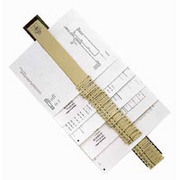
Recommended for business owners just starting out ...
This recordkeeping system is sometimes referred to as the receipts method filing system. This simple filing system for organizing your business receipts is my favorite. It takes the pressure off of you by getting rid of the those huge piles of receipts ... and it does it without sorting.
With this method you have file folders that are divided into time periods. It may be 12 months but if you have very few transactions, it could just as easily be 4 quarters … a year is a bit too broad! ;-)
Now if you are the kind of business owner that is always going back to look at invoices or bills or receipts ... then listen up! This is NOT the recordkeeping system for you. You want the option three, file alphabetically.
If your business requires that you constantly need to keep looking at or pulling out processed paperwork ... maybe you should consider a move to scanning documents for your look-up use and leave your original source documents "preserved" in the event of an audit.

LET'S CHAT ABOUT ...
Office Organization Alternatives to File Folders
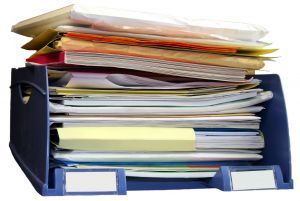
Consider the following alternatives to file folders:
- envelopes filed in a box, hanging files or hole punched in a binder
- large freezer baggies for each month hole punched into a binder
- tickler file or accordion file
- plastic sheet (sleeves) protectors to hold receipts by payment type and filed in a binder with the 12 months in the year.
For each month you have three sleeves. One sleeve holds business expenses paid with cash, another with business expenses paid through your bank account, and a third sleeve for receipts pertaining to credit card purchases.The sleeve method makes data entry a breeze because you don’t have to spend time tracing how the receipt was paid! Combine this system with this receipt tip… and this meal tip too and it would be hard not to be organized!
With this recordkeeping system, you file ALL your business transactions for the period in the appropriate file. No sorting. It just all goes in … invoices, bills, vendor statements, bank statements, credit card statements, receipts, government correspondence … everything ) OR you can have one envelope for income and one envelope for expenses … whatever works best for you.
It's the simplicity of this recordkeeping system, which is available when you are a small business, that makes it shine. Large companies could not use this method.
When you are ready to do up books for the period (how about creating a routine of doing it when you receive your bank and credit card statements), you take out all the paper, sort it into categories (or not) and enter it into your accounting program. Once you have entered it, you stamp the document with an “Entered” or “Posted” stamp so that you know it is formally recorded …
… if you have been using this good habit tip, you should be able to easily post the transactions to the correct accounts … so you have accurate financial statements. I like to key in my written notes or stories on the memo lines … you’ll see why in a minute.
After each year-end, the maintenance for this recordkeeping system is minimal... How minimal?
You simply file it all away in a storage box including the tax return … ready for a tax audit if it should ever happen. My preference is to keep two years ( current and prior year) active before it goes to storage.
This keeps your immediate work area free from excess paper and chances are, if you need to look something up , you can … just look it up in your computerized recordkeeping system.
Remember I said I keyed in any extra notes about an invoice or bill? Here’s why. ... There should be enough information in the computer so that you don’t need to look at the original document …
... and there is less of a chance your original document will get lost or misplaced. Why is this important? The number one rule with regards tax deductions - no receipt or support document … no deduction!
If you do need to look at the invoices / receipts, consider buying a ScanSnap and scanning the original documents ... so you have them on hand to reference ... and leave your original source documentents intact in the event of a tax audit. If you are in Canada, you need the originals for an audit because scanned receipts are NOT acceptable. The U.S. has different requirements about scanned receipts.
This is my recordkeeping system of choice for small businesses with few transactions. I favor envelopes over file folders (I’m less likely to lose all those tiny, irregular bits of paper and ... I don't spend time taping tiny pieces of paper to a larger piece of paper for hole punching and filing) but I also like the plastic sheet protector method too.
I use this method for any business when it is just starting out … then when it gets so I can’t find things fast enough. I switch to … #4. I find it is the best filing system for receipts when you are just starting out.
Even once you have to switch to a different system once you have too many transactions, you may still want to use this simple filing system for all your business receipts ... not your invoices and bills, but all the little business receipts you collect throughout each day. I can't say it enough ... this is my favorite recordkeeping system.
Office Filing System Possibility #3
Alphabetically by Vendor/Customer/Employee
Recommended for business owners who have a lot of transactions ... for example, you need to do your bookkeeping daily or weekly to keep on top of it.
With this recordkeeping system, each vendor/customer/employee gets their own file with paperwork filed in reverse chronological order (most recent stuff is on top)… which works well for large organizations … but if you are a small business, you end up with a ton of files and many of them only have one or two pieces of information.
You can get around this by creating files with groups of letters to file such as A-D, E-J, … and only have a separate file for large volume vendors / customers.
If your business gets to the point where there are "many fingers in the pie" ... and you notice customer and vendor invoices start to go missing ... consider keeping the accounting records as described in option 2 and having copies of the invoices available for everyone to use and lose ... or start scanning and filing alphabetically online for their use.
The other problem I have with this method is purging the files when you are legally able todestroy your files or just getting some of the old information boxed into storage to keep your main area organized and efficient … not overrun with old files.
As it is not all in one place, you have to put time aside to pull out documents you want stored from different places and different files. I admit, I’m just too lazy to put a filing system in place that requires that much maintenance!
A note here on storage boxes. If it’s going in the basement, make the storage container plastic to protect against possible water damage.
I have to say though, I like to use this method for employees … one file for each employee.
Office Filing System Possibility #4
A Hybrid Recordkeeping System
Recommended once your business grows and your transactions increase. You can begin using color coded files if you like that sort of thing.
Use chronological filing (option 2) of:
- bank statements with cheque images (or canceled cheques) and reconciliations [orange]
- deposit slips [orange]
- credit card statements with reconciliations[orange]
- expense reports along with cash and credit card receipts paid from your personal funds [an envelope]
- payroll reports [blue]
- tax payments (by tax type) and tax reports [yellow]
- financial reports [manilla]
Use sequential filing (for audit trail) of:
- cheque vouchers with supporting documentation [acco binder]
- journal vouchers with supporting documentation [acco binder]
- customer invoices (optional) [green]
- vendor invoices (optional) [red]
Use alphabetical filing (option 3) of:
- customer files (optional) [green]
- vendor invoices (optional)[red]
- employee files [blue]
- insurance files [purple]
- permanent files (important documents) [purple]
I use a form of methods 2 and 3 when my volume of transactions increases because I have more customers, am writing more cheques, increased government filing reports, a large number of journal entries.
I use Acco Binding Cases to file by how I look them up - numerically in sequential order or by date (most recent documents are on top).
Soooo … journal vouchers are filed sequentially with supporting documentation, cheque vouchers too.
Canada Revenue Agency reporting is filed by type of tax compliance and then by date with supporting documentation.
Bank and credit card statements are filed by date with their reconciliations attached.
Vendor vouchers are filed by date (again with most recent stuff on top) with supporting documentation but I pull out types of accounts I need to reference a lot … legal bills are given an envelope or Acco Binding Case to themselves.
I started out using colored file folders but then one day I ran out of one color I needed ... and I had boxes of all the other colors ... and I was trying to cut costs ... so the color system went out the window ... but I still really like the idea.
Once I move onto this hybrid method, I now have to decide how to handle paperwork that needs to be entered into the accounting system.
What I do and it may not work for everyone is … I have an IN basket for data entry by business (I manage more than one).
I open the mail. If it can be filed right away I do. If it needs to be processed, into the IN basket it goes.
On bookkeeping day, I take the IN basket and enter it into the accounting system … stamping each piece of paper with a “Posted” or “Entered” stamp. (If more than one person is doing the posting, they are each issued a stamp with their initials so you know who handled the entry.) Then it gets filed into the Acco binders … right away!
Office Filing System Possibility #5
Imaging - Going Paperless
When selecting this recordkeeping system, you get rid of as much paper as you can by scanning it in pdf format; or creating e documents for transmitting; and signing up to receive e documents where possible … using the same philosophy as above just in computer format.
I recommend that if you go this route, you will need an e-courier like Soft Trust Inc. or a drop box to transmit and receive sensitive and confidential data such as financial information.
It's vitally important if you go paperless to have two different backup systems - one offline and one online / offsite. For offline backup, purchase an independent hard drive to hook up for automatic backups while you work.
You also NEED off site backup in the event your computer fails or your premises are compromised. Check out DocumentSnap.com's article on Choosing An Online Backup Service to learn what is best for you.
Canada Revenue Agency permits electronic data storage and accepts it as supporting documentation as long as it is legible and it keeps up with technology. If technology changes so you can’t access it, it is your responsibility to convert it to current technology that is accessible ... which is why my preference is PDF documents.
Is Scanning The Same As Imaging? NO!
Update May 2011 - I was writing an article for the IPBC newsletter on the paperless office. I contacted a CRA specialist on electronic recordkeeping. Here is my excerpt from that article on paperless recordkeeping systems:
"I wanted to know if the original receipts could be destroyed if a scanned copy was available. Would the scanned copies be adequate proof during an audit … or was it necessary to be able to produce the original receipts?
It turns out that scanning is not imaging and therefore you need to keep your original receipts.
The problem with scanning is the documents can be altered and are therefore not reliable. A scanned receipt would not stand as evidence in the courts.
CRA’s website points out that “imaging and microfilm (including microfiche) reproductions of books of original entry and source documents must be produced, controlled and maintained in accordance with the latest national standard of Canada as outlined in the publication entitled Microfilm and Electronic Images as Documentary Evidence (CAN/CGSB-72.11-930).”
Control is key. Scanning does not meet the guidelines established by the Canadian General Standards Board.
His advice was to keep your original receipts and documents for the required periods … and to request written permission from CRA prior to destroying them.
Two references he suggested that would be useful were the Information Circular IC 05-1 on “Electronic Record Keeping” and the Information Circular IC 78-10R4 on “Books and Records Retention/Destruction”.
I have also found that the CRA publication RC4409 titled “Keeping Records” was useful as well but it is no longer in publication. However, if you search for that publication on CRA's website, it will direct you to their HTML version.
You can read the whole article on paperless recordkeeping systems at ipbc.ca> Community Blogs> Free Articles to Assist and Inform Bookkeepers> In The Forum - The Paperless Office published May 2, 2011.
The United States Department of Labor Office of Federal Contract Compliance Programs (OFCCP) website has some great information. There are a number of articles on going to an electronic format. If you live in Canada, don’t assume CRA’s rules will automatically be the same. Use the site more for general practices and then check with CRA policy.
In 2009 I was nervous about going paperless. It's now 2015 and I'm now annoyed when I have to print something on paper. I keep my old and slowly dying printer for the odd thing that I must print, but I just can't bring myself to purchase a new printer.
My biggest concern was computer security. I don’t have an IT department! and trusting financial information to sit on someone else’s servers means I have to trust the company hosting the server. As cloud services improve, it is easier to find security solutions that can fit your needs and be reasonably secure.
If I am doing data entry for an electronic document, I have a pdf reader that allows me to write notes on the document … so instead of stamping it, I type in that it has been posted or reconciled or whatever. Again I file it immediately to the appropriate electronic file.
Now you've chosen paperless, how do you organize these electronic file? ScanSnap has some tips on how to organize your paperless files that might interest you.
Ed Morrow has two good posts over at IntuitiveAccountant.com in his series "Operation Organization"... one on electronic folder setup and another on receipts file naming conventions.
Mr. Morrow's recordkeeping system keeps the initial folder setup uncomplicated with only four folders ...
- Inflow = Invoices & receipts
- Outflow = Bills and payments
- Statements = Bank and credit card statements
- Other = Miscellaneous forms and documents
Within each folder, he recommends subfolders once you have more than 50 transactions in a folder. He says keeping it simple like this allows it to stay in place over time but is flexible enough to grow and accommodate your company.
The recordkeeping system he suggests for naming file conventions is ...
- Name–This is the name of the vendor, customer, or institution that engaged in the business transaction with you.
- Code–A code can be a check number, debit/credit card abbreviation, or account number
- Date– The date that the transaction took place; i.e., MM.DD.YY
I personally don't like periods used in my file naming so I would change his suggestion to MMDDYY or YYYY_MM_DD.
Mr. Morrow says this naming convention eliminates the necessity to rename files if your accountant reclassifies them at yearend. He also strongly recommends that all saved/scanned source documents be saved as pdfs NOT as word or excel documents. I concur with him on this.
Check out his blogs to get tips on what you should have in place BEFORE you destroy your paper receipts.
Of course, my favourite paperless source for how to setup and organize your source documents is still Mr. Paperless.
My Biggest Office Organization Problem
My biggest problem is what to do with all the paper that isn’t accounting related but is “interesting” or “I may be able to use this someday” or …
I save it, stack it, organize it for years … and eventually one day I decide to clean up and toss or burn it ... then has always happens in life, sometime in the next few weeks or months, the very thing I tossed I need!
This is becoming less of a problem with scanning technology available and the internet where I can probably find close to whatever it is I threw away.
I know I will never go totally paperless because I love books and being around books. A computer file leaves me a bit cold … however even as I type this I know my habits are changing ...
I’m becoming a fan of e-books because I save on travel time (it takes 2 hours to pick up and come back home), shipping charges, and the cost on the purchase is lower. I only print a few of the pages … and then only if I really need them. Downloads are just fast and an efficient use of my time!

The downside is I spend more time in front of a computer screen than I want to.
Sometimes it is nice sitting in a comfortable chair with a cup of tea on a winter's day ... with the wood stove going, the sun shining in, a view of the lake or birds eating on the deck, forgetting about recordkeeping systems and computers ... and just reading.
Update March 2012: Since I wrote this article in 2009, I've slowly been switching my system over using paperless technology. I've become a fan of paperless technology! Click here to find out more about how I'm doing this and the resource I'm using to help me through the process.
Update May 2014: Now that I have an eReader and the Kindle app is available for free download, I rarely purchase printed books anymore. I can read away from my computer. I just wish Kindle would allow you to have more than one account attached to the app. What I need is to be able to read persoonal and business stuff. They are purchased from two separate accounts but Kindle doesn't accommodate this ... and neither does any other application that I've found so far.
Being organized allows you to track the progress of your business and look after your customers … so pick a method try it out and don’t be afraid to change it if it’s not working for you.
Always keep the test questions in mind when switching things about.
Here's a tip ... don't drink tea while you are filing ... it makes a mess if you spill it on the paperwork. :-( ... Tried it! Done it! :-(
Good luck … organizing is 90% habit … just get in the habit!
It's been great chatting with you .
Your tutor Lake
Home › Bookkeeping Systems › Recordkeeping Suggestions


Free eReport When You
Subscribe To My Newsletter
The Bookkeeper's Notes
Enjoy A Tea Break With
Me Today. Let's Chat!
Use the search feature to quickly find the
information you're looking for.
Join Me On Facebook
Help support this site by "liking" me! Here's where I post current information.
Listed Under Websites NOT Local Business.
This website is NOT associated with the business operating in Bonnyville AB.