[?] Subscribe To The Bookkeeping Blog

XML RSS
Add to Google
Add to My Yahoo!
Add to My MSN
Subscribe with Bloglines


Home
Support This Site
The Handy Reference

The Search
The Big Picture
The Tips
The Help
Hire Me

The Front Office
The Practice
The Tax
The Training
The System
The Plan

The Tea Break
The Blog
The Forum
The Questions
The QB Learning Tips

The Back Office
Contact/Meet Me
Site Policies

Developing Your Accounting System

Your accounting system is more than just the physical ledger or accounting software program you use.

Use this search feature to quickly find the information you're looking for.
Custom Search

It encompasses the method you setup and use to …

... track each receipt received and invoice issued as it progresses through your record keeping system …

... to the final products - a set of financial statements and accounting reports along with your annual tax return.

Welcome to Bookkeeping Essentials - The System!

There are so many choices when you are starting up your business … and when your business is growing.


Setting the groundwork by having an accounting system in place will help you on the road to success and keep you out of trouble with the government tax assessor.

This section is entitled “The System” because it is going to look at your accounting system options, recommended accounting system procedures and assist you in overcoming the challenges of getting organized and staying organized.


The Three Rules of Work


1. Out of clutter, find simplicity.
2. From discord, find harmony.
3. In the middle of difficulty, lies opportunity.


-- Albert Einstein --


The best advice always is to keep it as simple as possible. Remember the success or failure of your business could come down to these two choices - (1) How you decided to keep your company’s books; and (2) how well you kept the books.


What you will find in "The System" section

Instructions on the practical side of setting up your small business accounting system processess and procedures.

Just click on any underlined title of your choice and you'll go right to the page.


The 5 Essential Components To
Designing Your Bookkeeping System

Five components are essential in designing bookkeeping systems for the home based business. These components form the foundation upon which YOU, the owner will make informed business decisions.


A Yardstick to Evaluate Your Book Keeping System

Whether you are just starting out or have been in business awhile, how do you know if your book keeping system is the right one for your business? There are just so many choices.


Small Business Recordkeeping Systems
Simple Suggestions to Get Organized

Your accounting system won't work effectively without a good recordkeeping system. What is the best filing system to get and stay organized so you can get rid of those drawers of stashed receipts?

In this article, you will find simple guidelines to eliminate stress and panic including my favorite filing system for keeping my business receipts organized.

I have also done a separate article on a portable document filing system for business owners who work from their vehicle that will complement your accounting system.


Financial Reporting Package

Plan ahead to customize your financial reporting package to meet your specific information needs. Use it as a tool to help run your business.


Just Starting Your Own Business?

When you are just starting your own business, the number of decisions to be made can be overwhelming. Your accounting system is just one of them.

You will find a listing and link to government initiatives that can assist you if you are a small business owner in Canada.


Small Business
Bookkeeping and Accounting Software

This is the place to look for information on bookkeeping software packages that are a good fit with a small business operation.

I’ll let you know right now though, my preference is the QuickBooks accounting system ... so here is what I've done so far:

  1. How to Change Your Bank Statement Into An Income Statement
  2. Two More Accounting System Options to Consider
  3. QuickBooks Bookkeeping and Accounting Software


Learning How to Use QuickBooks

You will find QuickBooks tips for common bookkeeping entries, some shortcut keys, and how to avoid beginner's mistakes.

There is also The Learning QuickBooks Forum where questions and answers can be posted.


Your Accounting System - Short Articles
Things You Should Keep in Mind


Here are Quick Links to the articles on this page

  1. The Blueprint of Your Small Business Accounting System - Your Chart of Accounts
  2. Accounting System Procedures - Who Does What and How They Do It
  3. Sidebar - The Consistency Principle


Your Chart of Accounts
The Blueprint of Your Small Business Accounting System


How to use the Chart of Accounts

Your chart of accounts is something you should print out and carry with you (like a shopping list) until you become familiar with it.

When you purchase something, write on the receipt what account it should be coded to by looking through your chart of accounts listing and selecting the appropriate account.


What is the Chart of Accounts

So if you haven't guessed, your chart of accounts (COA) is a list of all the accounts in your accounting system. You use it to categorize then record your transactions onto ledger pages ... each account listed in your COA has its own ledger page. If you use the computer, it is an electronic page.

All the ledger pages from all the accounts listed in the COA are called the general ledger (GL).

When you want a financial report, the accounts (ledger pages in the general ledger) are summarized to produce the financial report requested.

Your COA is the blueprint of your accounting system around which everything is built. If your COA is poorly designed, the quality of your information is affected ... which could affect the business decisions you make using the information.

Normally it is numerical but with small business accounting systems like QuickBooks, it no longer has to be numerical. COA are usually organized into seven sections that are used to summarize transactions for your financial statements. Do you recognize these categories from your balance sheet and income statement?

  1. assets [1000 series]
  2. liabilities [2000 series]
  3. equity [3000 series]
  4. revenue [4000 series]
  5. cost of goods sold (COGS) and expenses [5000 and 6000 series]
  6. other revenue [7000 series]
  7. other expense [7000 series]

How to Setup Your Chart of Accounts

  • If your internal financial statements are prepared on a tax basis, a good place to start is to have your COA based on tax form 2125. You can customize it later.

    If you use QuickBooks, they have a whole selection of preset COAs. Just pick the one that is structured for your industry. Again, you can customize it later.

    QuickBooks has the ability to assign an account to a tax line ... so you don't have to organize your COA for tax purposes. You can organize your COA for your business or industry ... and let the tax mapping report assist you come tax time. It's the best of both worlds.

  • You never want to have accounts that are too specific. For example, an account called utilities is good ... because it is generalized; an account named after a single customer or vendor such as Telus or BC Hydro is not so good ... because it is too specific.
  • As a general rule, an account should NOT be named after one product or service such as Size 10 Pants or Short Haircuts. It is better to name the account Clothing or Haircuts.

  • There should be NO duplicate accounts. If there are, merge them into one account. If you have different departments or locations, a software program like QuickBooks can be setup to track them using classes, but it is NOT done through multiple accounts.
  • Each account should be properly classified into one of the seven sections discussed above. This means capital asset accounts for equipment purchases should NOT be found in the expense account section.

    If you are using QuickBooks software, make sure you have setup the correct type of account ... not every account is a bank account type (the default). Loan accounts should be setup as a long term liability type NOT an income type.

  • A good COA shouldn't need more than 50 or so accounts in a small business. If you have too many accounts, you are likely to have a lot of accounts with small balances under $100. It just doesn't provide useful information at that level and creates a lot of maintenance as each account has to be reconciled regularly.

    Fewer accounts will ensure you have greater consistency in where transactions are coded and recorded. This means you are more likely to have accurate financial statements you can rely on.


Why You Should Care About Your Chart of Accounts

Closing advice ... get very familiar with your chart of accounts. Understanding it may turn out to be your ah ha moment as it lays out the structure of your small business accounting system and shows you what makes up the numbers behind your financial statements!


Accounting System Procedures
Who Does What and How They Do It

Developing processes and procedures for your accounting system every step of the way in your business is essential so you can stop reinventing the wheel every time you start a new task.

Good practices and habits in bookkeeping mean accurate and timely financial statements to run your business with.

Here are some month-end procedures and internal controls you may want to consider implementing.

This short overview on daily, weekly, monthly, quarterly and annual bookkeeping tasks can help establish procedures and a routine.


Account Receivable (AR) Collections Procedures

In Stephen L. Nelson's book QuickBooks 2009 for Dummies, he gives a bit of advice on collections procedures. Here is what he recommends.

  • Establish firm collection procedures; then follow them faithfully.

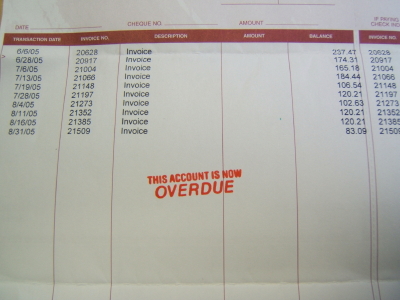
  • When an invoice is one week past due, make a friendly phone call. Check to see if they have received the invoice ... or if there was a problem with the product or service. Solve the problem or ask when you can expect payment.

  • When the invoice is overdue by one month, send a letter asking the customer to contact you about the past due amount. This is especially important if the customer promised you payment when you made your phone call a few weeks before.

  • When the invoice is three months past due, stop selling to the customer as there is no guarantee you will be paid. Consider starting a formal collection process.

Universal Accounting's The QuickBooks Specialist Newsletter (it's free to subscribe) suggests these techniques to ensure you get paid:

  1. Actively manage your accounts receivable accounts.
    • Be familiar with your Aged Accounts Receivable Report and use it to actively manage your credit sales.
    • Following the above collections procedures and the recommended AR tasks is a good start.
  2. Automate your customer payments through scheduled electronic payments.
    • PayPal is a very affordable method for a small business to use.
  3. Pay a visit if you have sent regular invoices and statements, followed up with a phone call and letter and the amount remains unpaid.
  4. Offer a payment plan if the client can't afford to pay the bill all at once. Universal says that if you go this route, you should discontinue services until the account is brought up-to-date.
  5. If you find a large number of your receivables are overdue, it is time to hire a collection agency.

I read an excellent article today by Gary Barzel titled Using Your Accounting Software For Effective In-house Debt Collection. He explains that when selecting your accounting software, make sure it has the following features:

  1. An Accounts Receivable Subledger tracking each individual's credit information and history in one place. Review and manage it to keep on top of your cash flow.
  2. Easy access to the customer's credit information and history to make it easy to contact and follow up on outstanding payments.
  3. Individual invoice tracking so you can see the status of each invoice.
  4. The ability to prepare a collection letter that includes details such as the outstanding amount and date it was due.

Setting up procedures like the ones above are part of designing your accounting system.

Recording a bad debt allowance is closely tied to accounts receivable collections. Learn how to book a bad debt allowance.

You will find two AR ratios that may be a useful tool for you in Basic Ratio Analysis.


Sidebar - Basic Accounting Principle
The Consistency Principle

There is usually more than one way to do something ... and it is no different in bookkeeping.

The consistency principle says that in order to have a high degree of comparability in your bookkeeping data, you must consistently apply the same procedures and methods from period to period.

It is also imperative that any departures from this principle of consistency be fully disclosed on the financial statements.

This enables a reader of a financial statement to assume that GAAP has been followed consistently during the preparation of the financial statements.

So as a bookkeeper of small business accounting ... to ensure you have relevant financial statements, you must apply this principle to your data entry.

If you end up treating an item incorrectly (from your accountant's perspective), it is easy to make an adjustment if your accountant knows you handled every transaction in a consistent manner.

Why put this principle in place? ... So figures cannot be manipulated solely to increase or decrease the bottom line.


Taking the time to choose and develop your accounting system will provide long term benefits.

It is the gateway to having timely and accurate financial reports so you can ...

... meet all of your financial and tax compliance obligations and responsibilities, ...

... including assisting you in audit proofing your tax return.

(WOW that was certainly a mouthful!)

Remember as you put your system in place to make it simple to use and easy to understand. Find the compromise between your needs as a business owner and your bookkeeper’s needs.

To profits and positive cash flow! ;-)

Image of script writing saying


The System - Links

Return to Top - Designing and Developing Your System

Return to Home Page - Freedom is the Goal, Right?

QuickBooks® is a registered trademark of Intuit, Inc.


footer for accounting system page